

Reroute
Rerouting when there's an unexpected delay or cancellation can help ensure timely deliveries and customer satisfaction.
Overview
Burq's goal is a successful delivery every time. But if there's an unexpected delay or cancellation, Burq can reroute deliveries to another delivery service provider (DSP) to ensure timely delivery for your customers. We support both automated and manual rerouting.
Rerouting helps address the following delivery issues:
- Cancellations: when the assigned DSP cancels the delivery.
- Delayed driver assignment: when the assigned DSP is taking too long to assign a driver to the delivery.
Automatic rerouting
To turn on auto-rerouting, go to the Order Workflows page and select "Auto reroute":
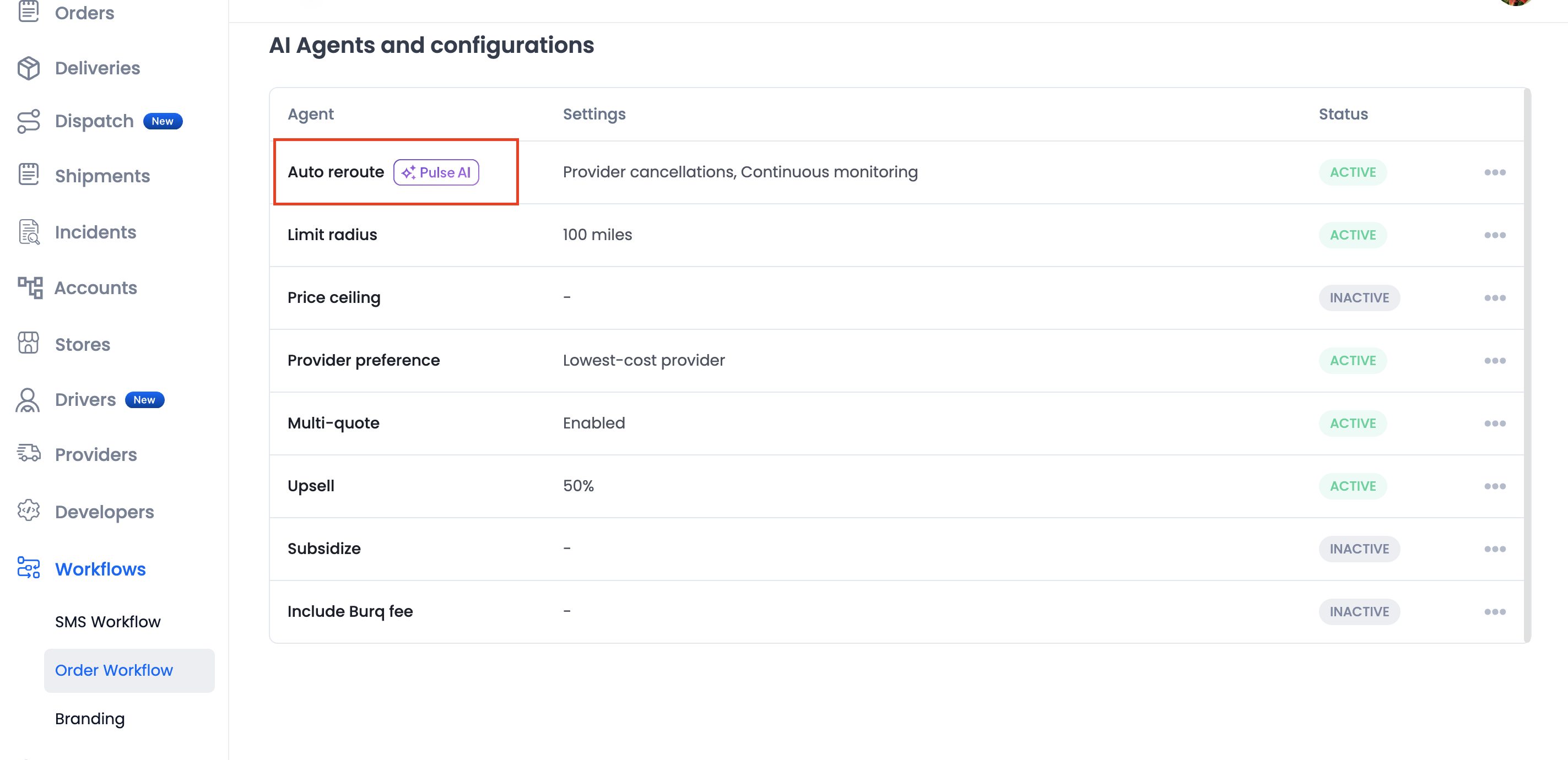
Burq can auto-reroute deliveries in two scenarios:
-
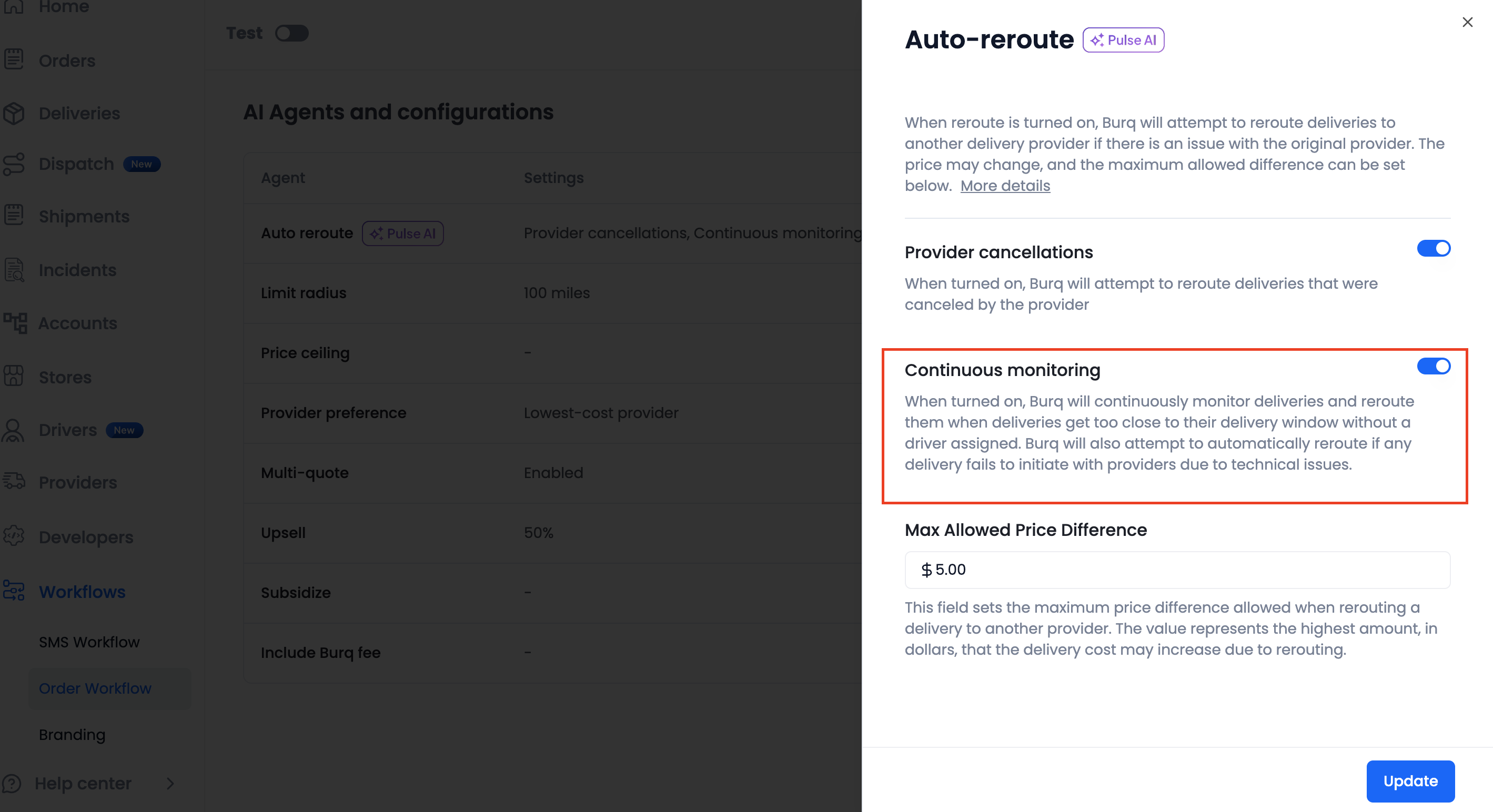
Delayed driver assignment: when the provider has not yet assigned a driver, and the delivery is too close to its delivery window. To turn on auto-rerouting for delayed driver assignment, toggle the "Continuous monitoring" option.
When a delivery is rerouted due to delayed driver assignment, the original delivery is cancelled, a new delivery is created, and Burq attempts to assign that new delivery to another DSP.
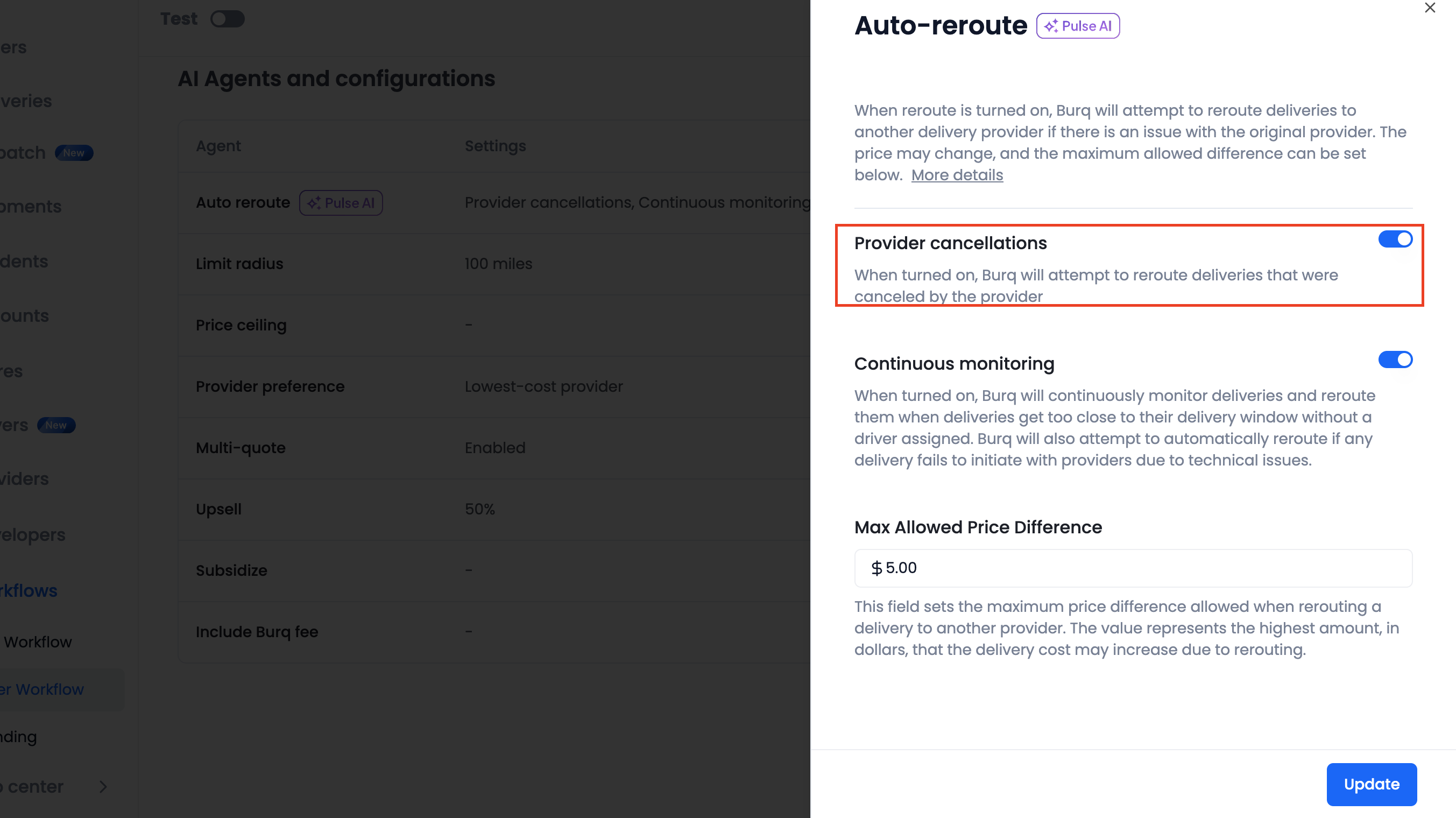
- Provider cancellations: when the assigned provider cancels. To turn on auto-rerouting for provider cancellations, toggle the "Provider cancellations" option.
Max allowed price difference
Because a rerouted delivery involves getting and accepting a new delivery quote from a DSP, the new delivery may cost more or less than the old delivery. You can control how much the delivery fee may increase due to a reroute, using the "Max allowed price difference" field on the Auto-reroute configuration screen.
For example, if the original delivery fee is $15, and "Max allowed price difference" is set to $5, then the delivery will only be rerouted with a new quote of $20 or less.
Manual rerouting
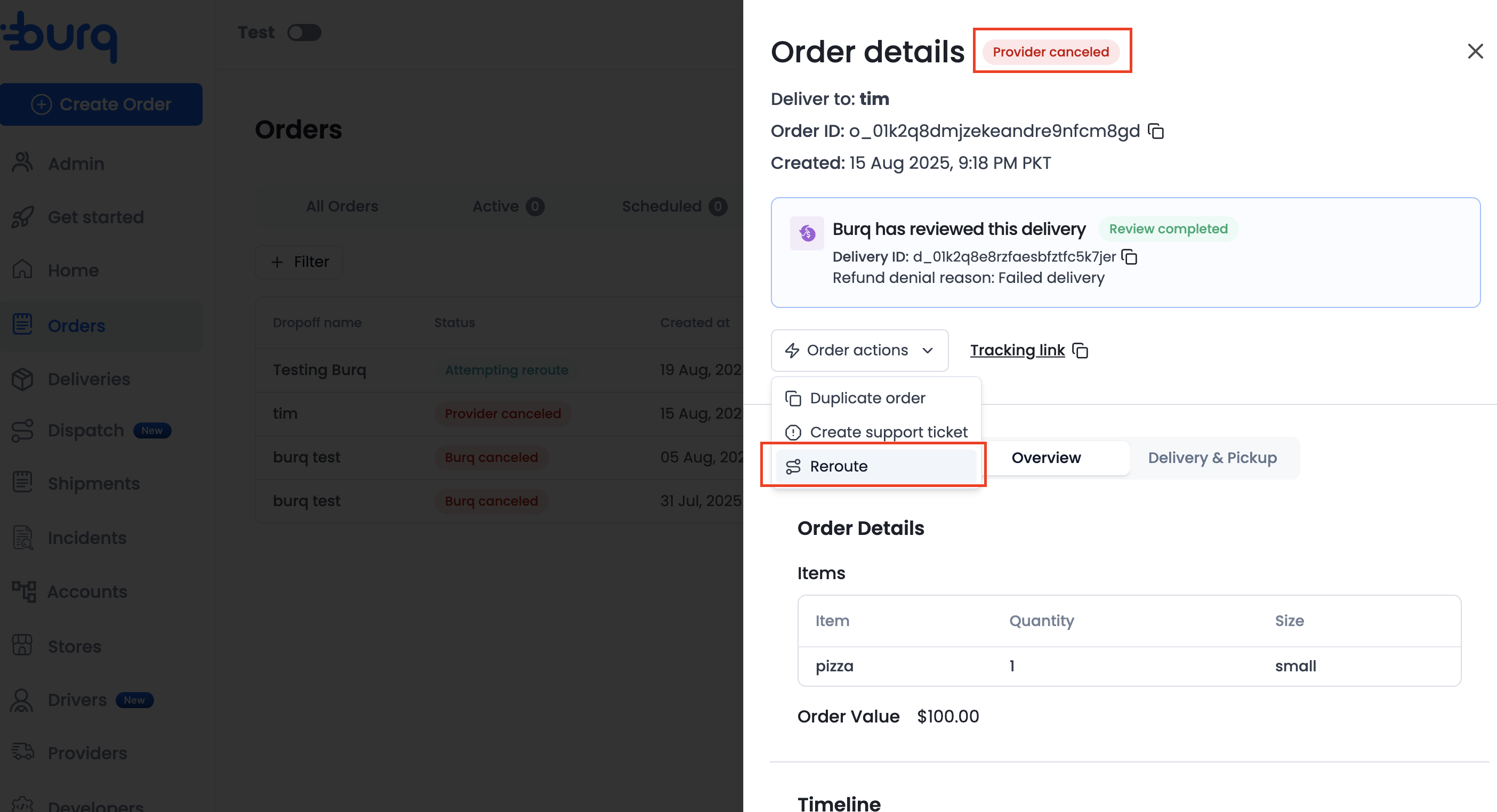
You can also manually reroute deliveries yourself in the Burq dashboard. To manually reroute a delivery, find the order or delivery and click 'Reroute' in the 'Actions' dropdown. Then, select the new delivery provider.
How to monitor reroutes
You can view and monitor reroutes in the Burq dashboard:
- When Burq is attempting to reroute an order, the order and associated delivery appear with the status 'Attempting Reroute'.
- If, after attempting to reroute, Burq is unable to reroute the order, the order and associated delivery appear with the status 'Canceled - Not Reroutable'.
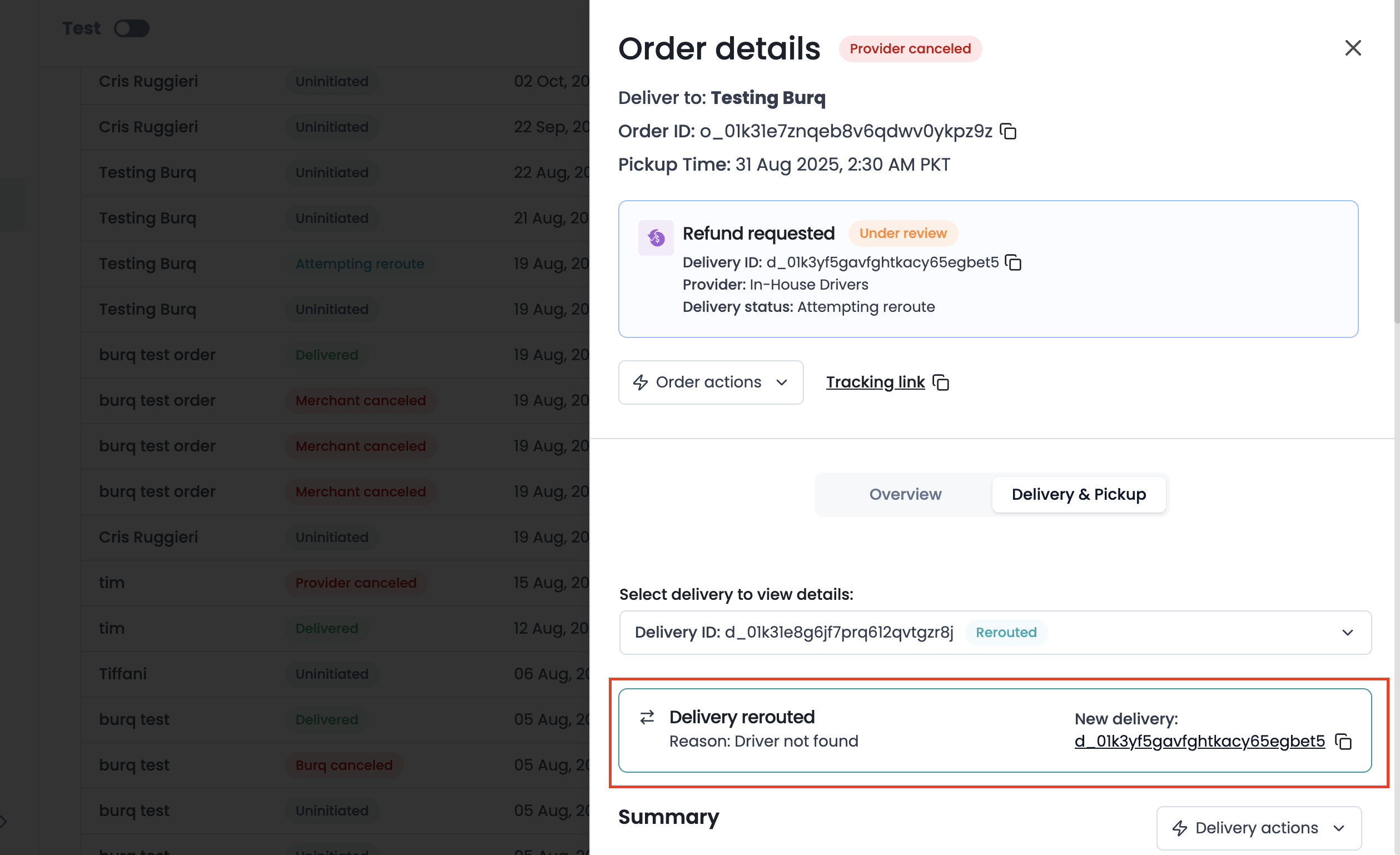
- Deliveries that have been rerouted have the status 'Rerouted'. The details page for a rerouted delivery includes a link to the new delivery.
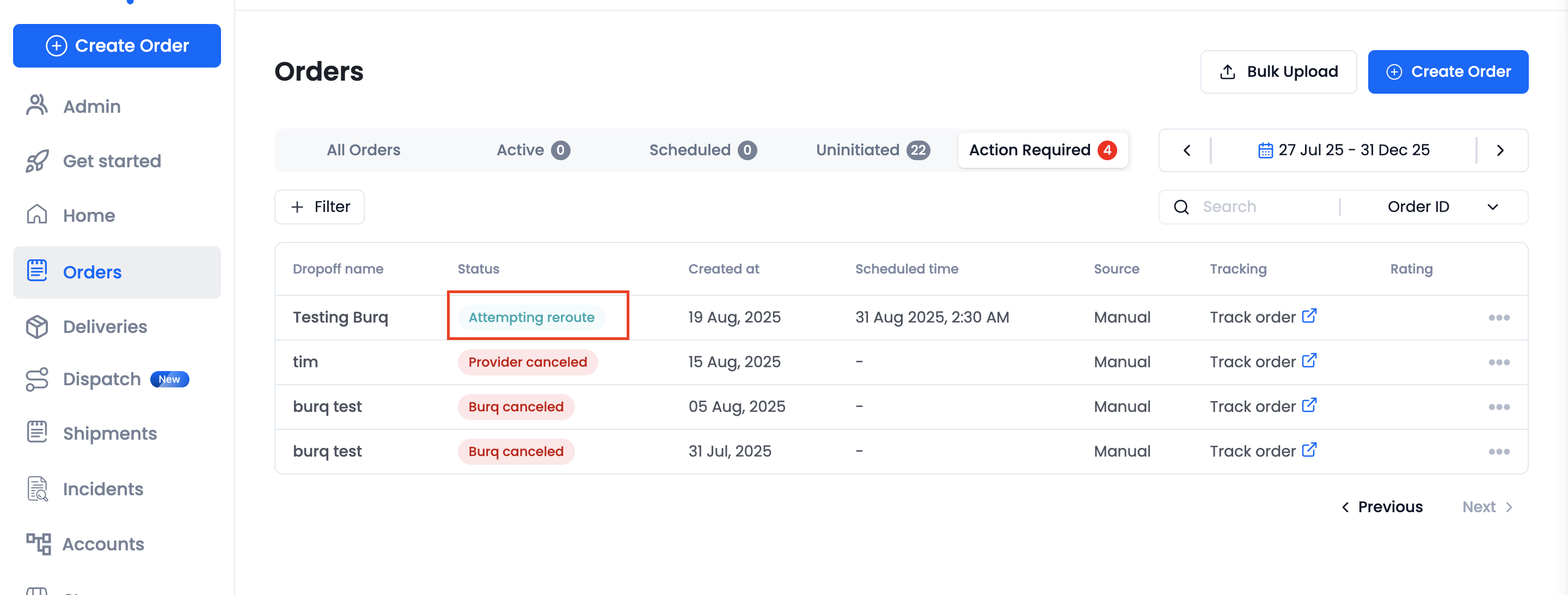
Status when orders are being rerouted

Status when orders are not reroutable
FAQ
Will an auto-rerouted delivery cost me the same as the original delivery?
Not necessarily. A rerouted delivery involves getting a new quote from a DSP, which may not equal the cost of the original delivery.
To limit how much the price can change in auto-reroutes, use the "maximum allowed price difference" setting.
Will the rerouted deliveries take my delivery preferences into account?
Yes, the delivery preferences from the original delivery will continue to apply for the new, rerouted delivery.
Updated 9 months ago