

Delivery Tracking - Privacy Mode
Privacy mode for delivery tracking protects end customer privacy by preventing the customer on each end of a delivery from seeing the other’s personally-identifiable information.
With Privacy Mode for the delivery tracking page, pickup and dropoff contacts get separate delivery tracking pages that show the information they need to know, while hiding personally-identifiable information from the customer on the other side of the delivery. It is designed to give merchants and their customers better control over sensitive delivery information, while ensuring that all status updates flow normally. This is especially useful when the pickup and dropoff addresses need to remain private from each other, while both parties need to see the driver’s real-time progress.
How to Enable Privacy Mode
You can enable Privacy Mode in your dashboard:
- Navigate to Workflows → Branding → Privacy Mode.
- Toggle Privacy Mode ON.
- Click on Save changes
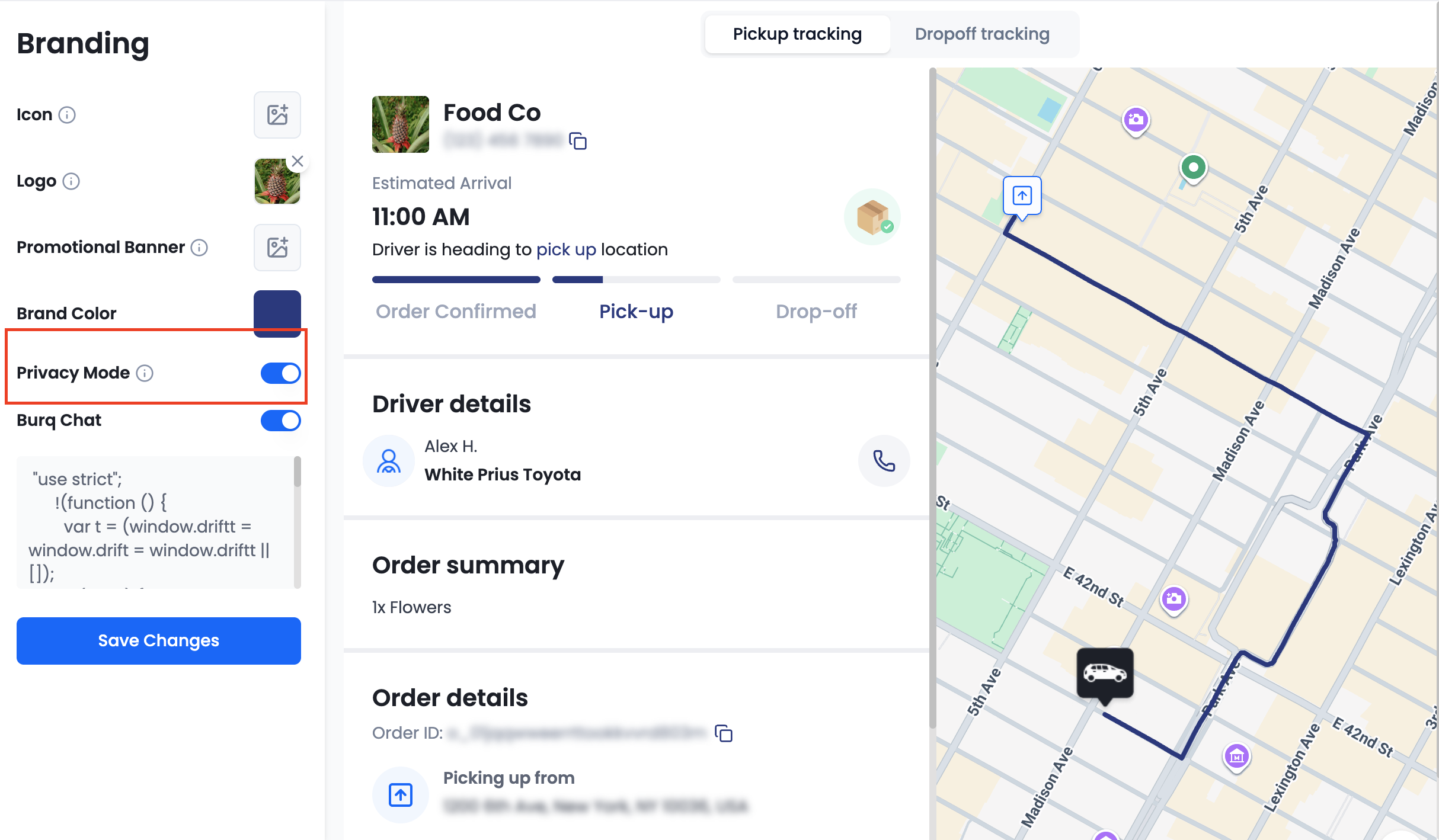
Once enabled, Privacy Mode automatically applies to all new orders.
What Privacy Mode Does
When Privacy Mode is enabled, two additional tracking links are created for each order:
- Hides the dropoff address from tracking page
- Driver location is only visible after the driver is assigned.
- Driver "trail" is not shown.
- Statuses update normally, reflecting order progress.
- Hides the pickup address from tracking page.
- Driver location is only visible after the pickup is complete.
- Driver "trail" is not shown.
- Statuses update normally, reflecting order progress.
-
Displays the full end-to-end delivery journey, including all pickup and dropoff details and driver "trail", ensuring merchants can always view all delivery details when needed.Merchant Tracking Link
SMS Notifications
Privacy Mode also affects how SMS notifications are sent. Each SMS is delivered with the appropriate tracking link based on the recipient:
- SMS notifications sent to the pickup contact include the pickup tracking link.
- SMS notifications sent to the dropoff contact include the dropoff tracking link.
For example, if an SMS notification is configured to send to the pickup contact when a delivery reaches the “Enroute to Pickup” status, that SMS will include the pickup tracking link. If another SMS notification is configured to send to the dropoff contact when a delivery reaches the “Delivered” status, then it will include the dropoff tracking link.
Updated 11 months ago