

Order/Item Weights & Dimensions
Burq supports specifying physical dimensions and weight for the items or package in an order. When provided, this data is forwarded to the delivery provider to assist with vehicle selection, route planning, and carrier pricing — particularly for freight and big & bulky deliveries.
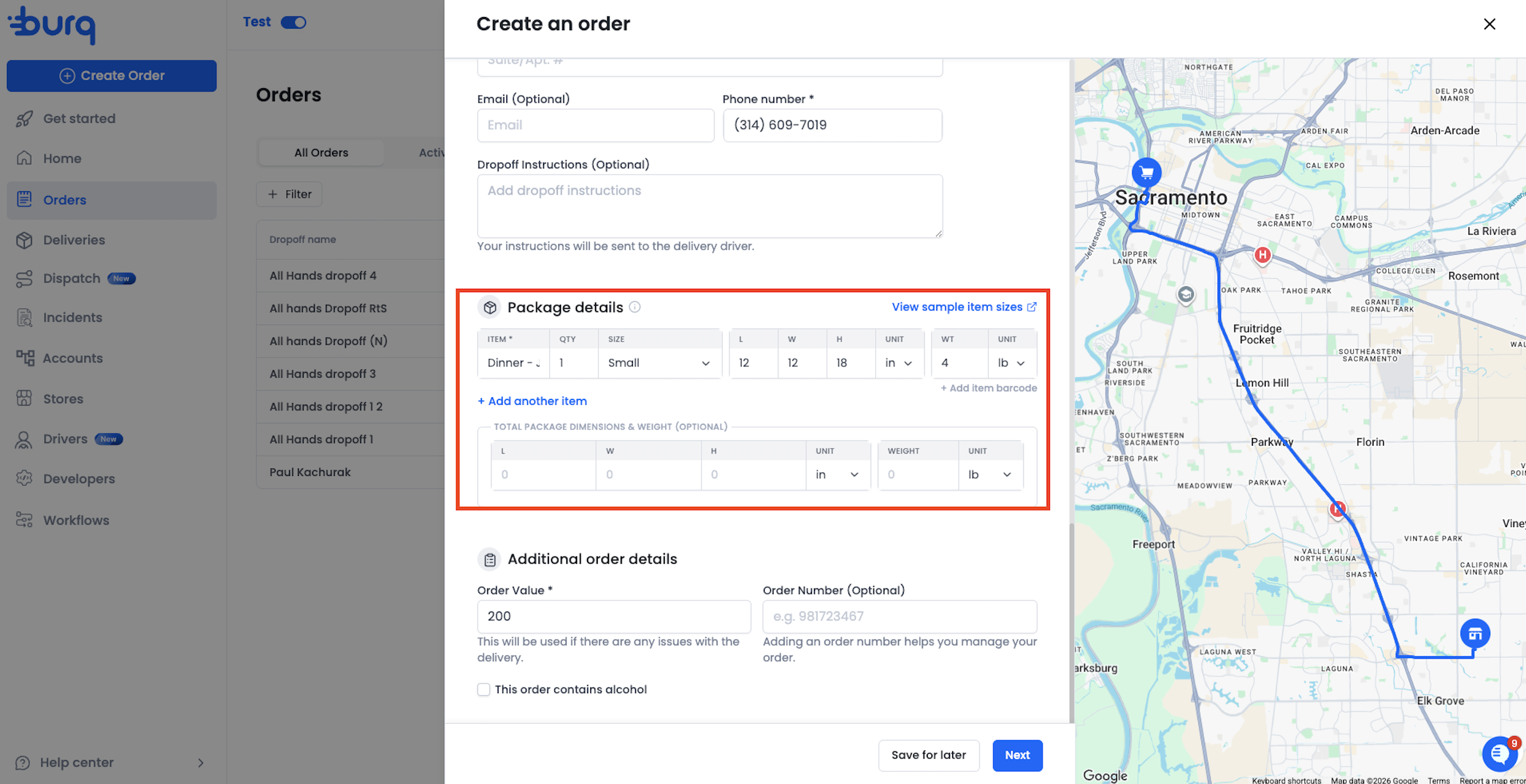
Two Levels of Dimensions
Dimensions can be specified at two levels:
| Level | What it represents | When to use |
|---|---|---|
| Order-level | A single set of measurements for the entire package or Order | When you want to describe the overall dimensions of what is being picked up, regardless of how many individual items it contains. |
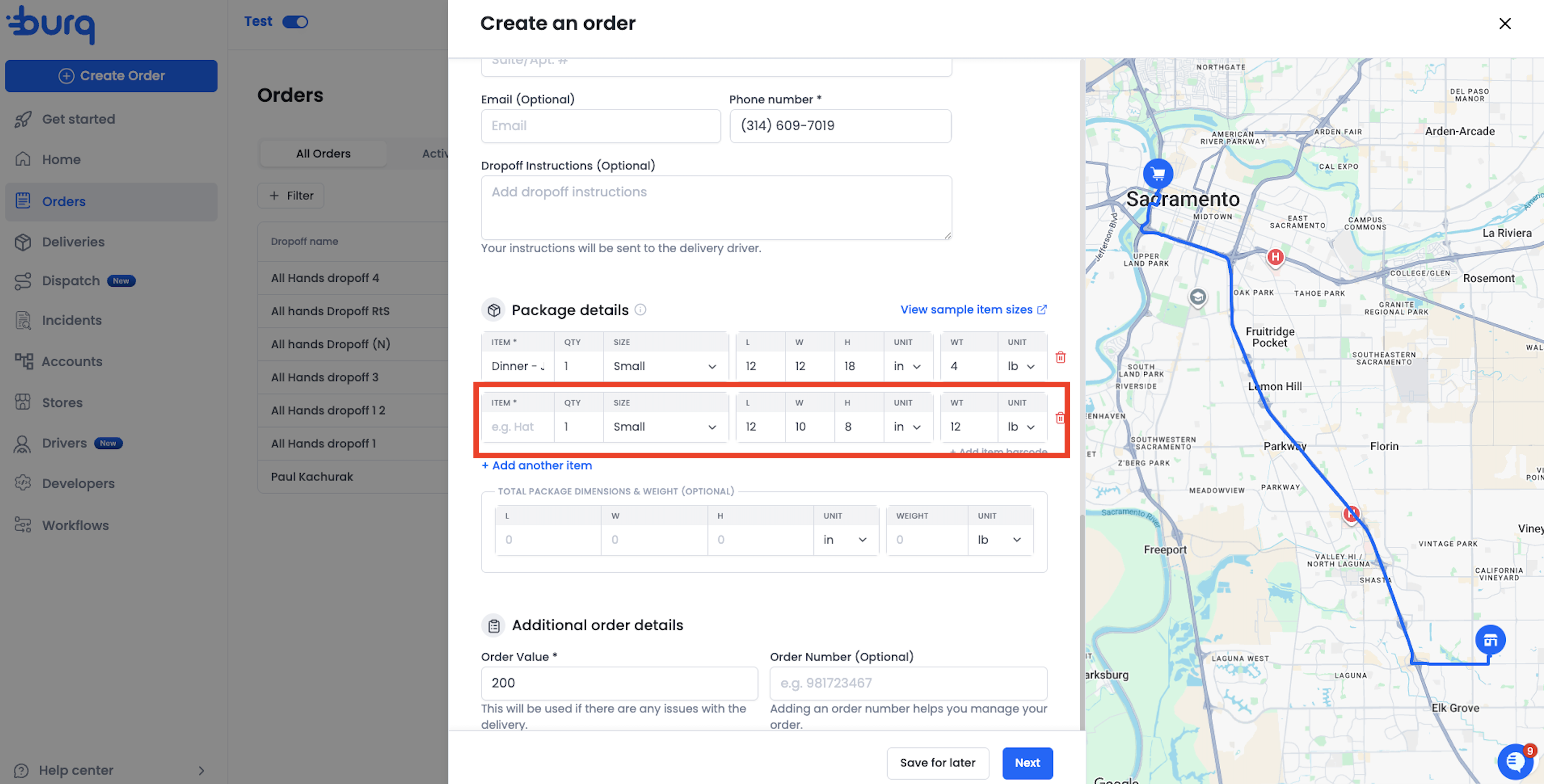
| Item-level | Individual measurements per line item | When each item in the order has distinct physical properties that need to be communicated to the driver or provider |
Both levels can coexist on the same order. If item-level dimensions are provided, every item in the order must have dimensions — partial coverage is not allowed.
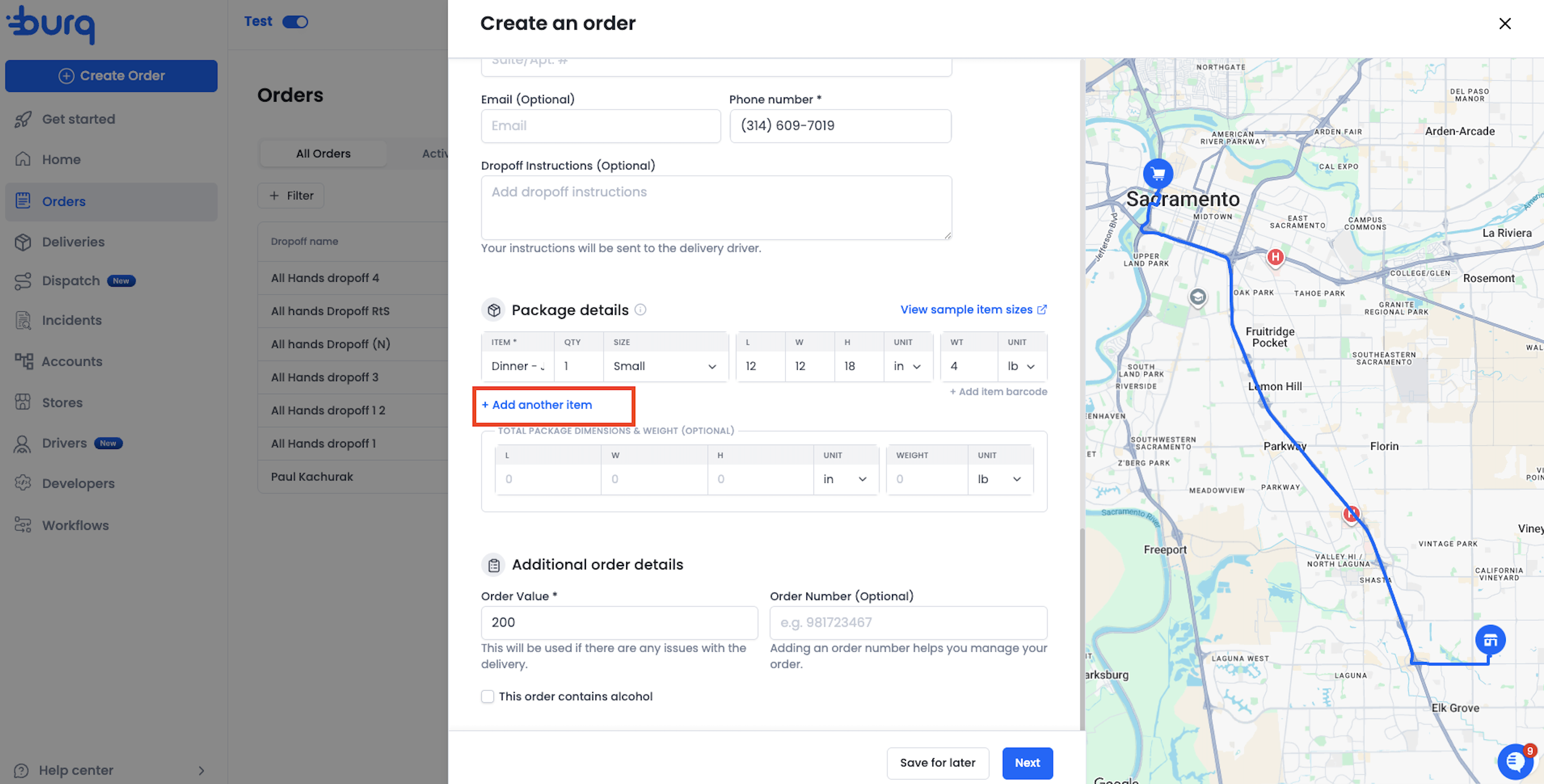
User can click on +Add another item to add weights and dimensions for more items.
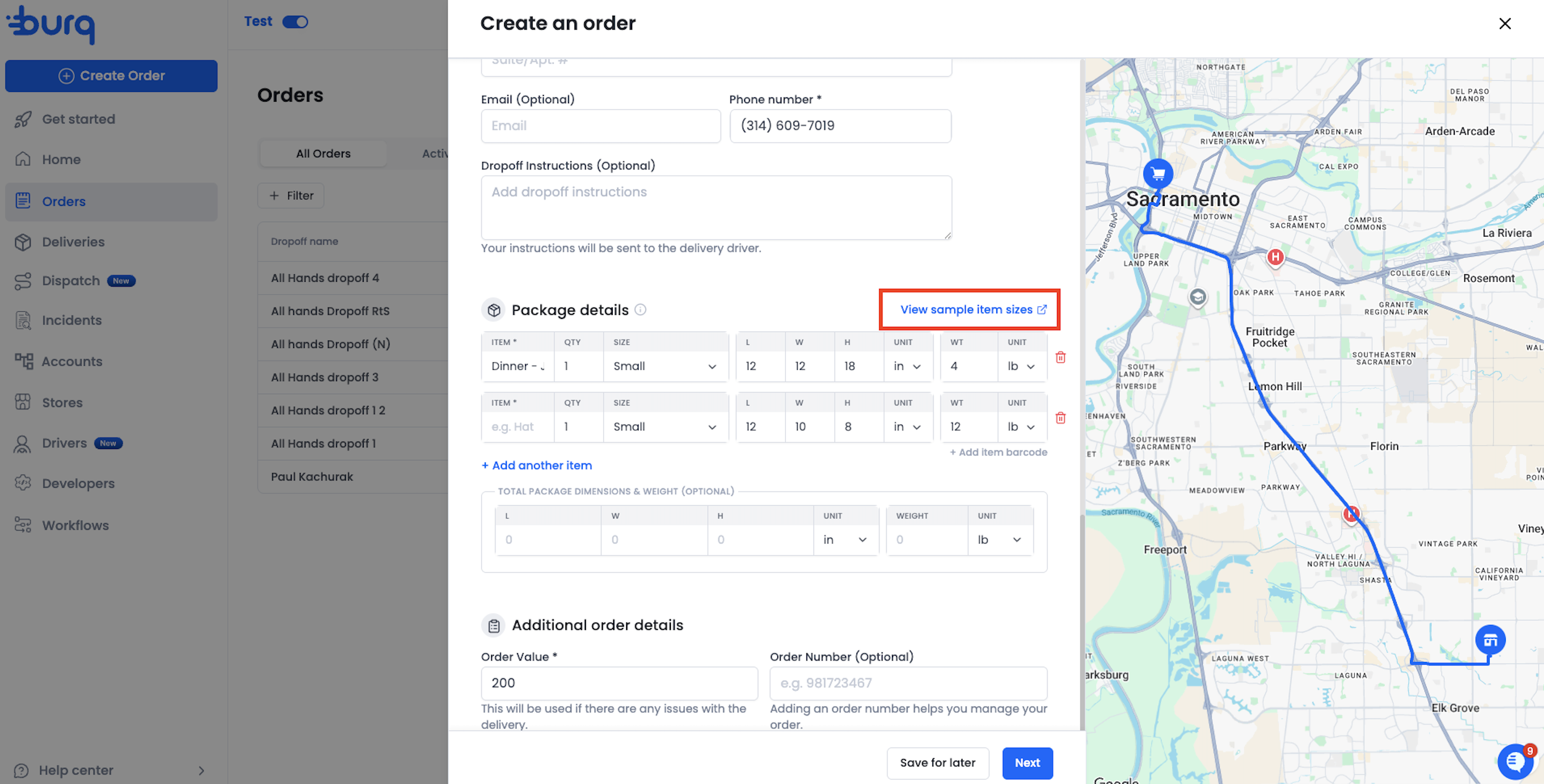
If the user is unsure of the exact measurements, weights and dimensions of the item/package, clicking on View sample item sizes will take the user to the Item size defaults page.
Accepted Units
Dimension unit (length, width, height):
| Value | Unit |
|---|---|
in | Inches (default if not specified) |
cm | Centimeters |
Weight unit:
| Value | Unit |
|---|---|
lb | Pounds (default if not specified) |
kg | Kilograms |
g | Grams |
Via the API (V2)
Dimensions are supported on the V2 POST /orders endpoint. They are not supported on V1 API calls.
Order-level dimensions
Pass dimensions alongside the top-level order fields:
{
  "pickup": { ... },
  "dropoff": { ... },
  "items": [ ... ],
  "length": 24,
  "width": 18,
  "height": 12,
  "weight": 35,
  "dimension_unit": "in",
  "weight_unit": "lb"
Item-level dimensions
Pass dimensions on each item object. If you use item-level dimensions, every item must include all four fields:
{
  "pickup": { ... },
  "dropoff": { ... },
  "items": [
    {
      "name": "Monitor",
      "quantity": 1,
      "length": 24,
      "width": 18,
      "height": 12,
      "weight": 15,
      "dimension_unit": "in",
      "weight_unit": "lb"
    },
    {
      "name": "Keyboard",
      "quantity": 1,
      "length": 18,
      "width": 8,
      "height": 2,
      "weight": 2,
      "dimension_unit": "in",
      "weight_unit": "lb"
    }
  ]
}
Important: Dimensions are required on V2 order creation — if your order has no item-level or order-level dimensions, the API will return a
dimensions_requirederror. If you need to create an order without dimensions, use the V1 API or the CSV upload without the dimensions template.
Updating dimensions
Dimensions can be updated via PUT /orders/{id}. On update, dimensions are optional — provide them only if you need to change them. Partial updates (providing some but not all four fields) are not allowed; if you update dimensions, all four fields must be present.
Via CSV Upload
When using the dimensions CSV template, replace the Item Size column with the numeric dimension and weight columns below. See Uploading Routes via CSV for the full column reference.
Item-level dimensions in CSV
Add dimension columns to each row. For orders with multiple items (rows sharing the same External Order Reference), item-level dimensions can appear on any row.
Order-level dimensions in CSV
Order-level dimensions must only appear on the first row of each order. Do not repeat them on subsequent item rows.
Validation rules for CSV
- If any one of the four dimension fields is provided at a level, all four must be present at that level.
- At least one level (item or order) must have a complete set of dimensions per order.
- Order-level dimensions on a non-first row will be rejected.
- If
Dimension UnitorWeight Unitis provided, it must be one of the accepted values above.
Error Reference
| Error | Cause | Fix |
|---|---|---|
dimensions_required | V2 order creation was called without any dimensions (order-level or item-level). | Add dimensions to the order or at least one item. |
dimensions_not_supported | Dimensions were provided on a V1 API call, which does not support them. | Use the V2 API (POST /v2/orders) or remove dimensions from the request. |
invalid_dimensions | A dimension set is incomplete — some but not all four fields (length, width, height, weight) were provided. | Provide all four dimension fields, or omit all of them. |
invalid_dimension_values | A dimension value is zero, negative, or non-numeric. | Provide positive numeric values for all dimension fields. |
invalid_dimension_unit | The dimension_unit value is not recognised. | Use one of: in, cm. |
invalid_weight_unit | The weight_unit value is not recognised. | Use one of: lb, kg, g. |
order_and_item_dimensions_mutually_exclusive | (Legacy) Order-level and item-level dimensions were provided in a context where they cannot coexist. | Check that your request follows the current rules — both levels are supported on V2 create. |
inconsistent_item_dimensions | Item-level dimensions were provided for some items but not all. | Either provide dimensions for every item in the order, or omit them entirely. |
Updated 4 months ago